
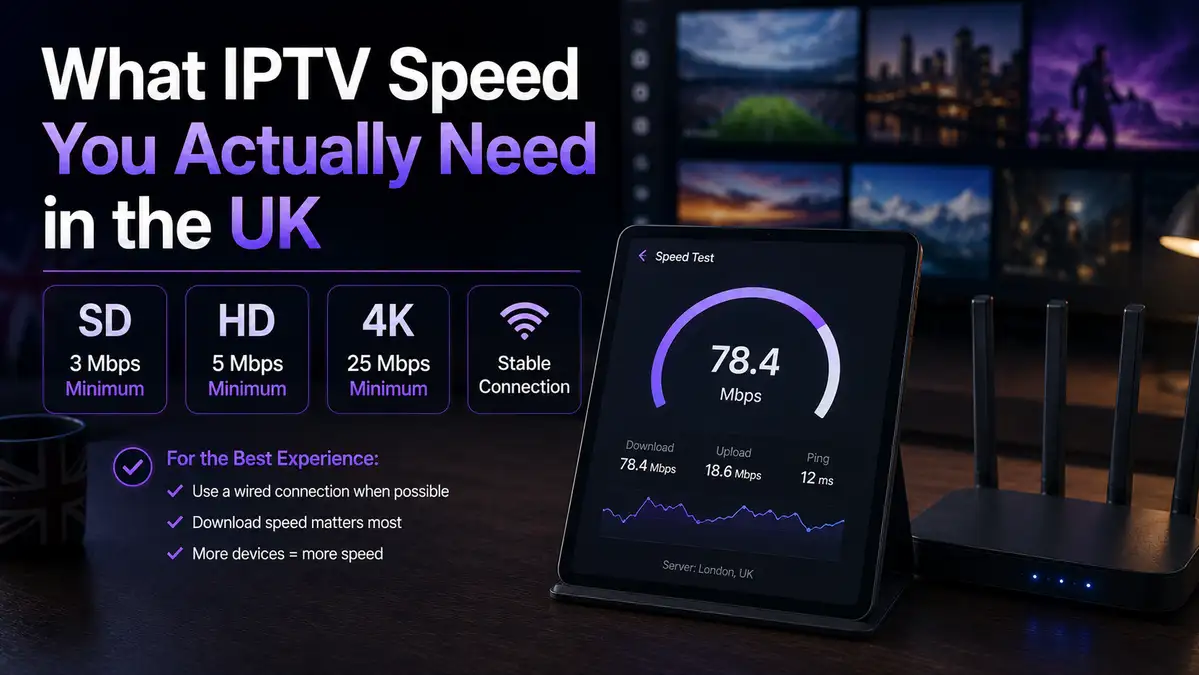
What IPTV Speed You Actually Need in the UK
IPTV speed is the number most people guess at, and the guess tends to be wrong in both directions. Some buy a gigabit package for one television in one room. Others try to run four screens on a line that already struggles with one.
So we measured three real UK lines over 3 evenings instead of quoting a specification. This page is what the numbers said, and which of those numbers you can safely ignore.
What we sell is a subscription, which sits on the main site with the prices on the plans. Nothing on this page depends on buying anything from us.
If you would rather read the whole service explained once, the full UK guide does that job. This page is only about speed.
On This page
What IPTV speed you actually need
Two IPTV speed figures cover almost every household in Britain, and both are smaller than the marketing suggests.
- 10 Mbps for each HD stream, measured at the device and not at the router.
- 25 Mbps for each 4K stream, on a television that is genuinely 4K.
- 1 Mbps upload is plenty, because you are receiving rather than sending.
- A little headroom on top, because nothing in a house runs on its own.
Those IPTV speed figures are per stream rather than per household. One television in one room needs very little. Four screens on a Sunday evening is a different sum, and the section below works it out.
Most players also use adaptive bitrate streaming, which quietly lowers the picture quality when the line tightens. That is why a struggling evening looks soft rather than broken. It also explains why two people on the same plan describe the same service differently.
The honest answer on IPTV broadband speed, then, is that a 50 Mbps line handled everything we asked of it. Our own flat runs on exactly that. Everything above 50 Mbps bought headroom rather than a better picture.
Three UK lines, three sets of numbers
We had access to three genuinely different connections, so the IPTV speed figures below are not from one lucky line.
| The line | Measured download | Comfortable HD streams | Comfortable 4K streams |
|---|---|---|---|
| Part-fibre, older cabinet | 25 Mbps | 2 | 1 |
| Standard fibre package | 67 Mbps | 6 | 2 |
| Full fibre | 264 Mbps | more than any house needs | 10 |
| Our London test flat | 50 Mbps | 4 | 2 |
The jump from 25 Mbps to 67 Mbps changed what the household could do at the same time. The jump from 67 Mbps to 264 Mbps changed nothing we could see on a television. That is the single most useful line in this whole page.
On the 25 Mbps line, one 4K stream worked and a second screen did not. That is not a fault, and it is arithmetic. A house on that kind of line should plan around HD rather than 4K.
A slow line is also different from an unstable line. Ours held a steady IPTV speed across 3 evenings, and a line that swings from 40 Mbps to 6 Mbps at 9pm is the harder problem to live with. Stability beats a headline figure every time.
How we measured, and what an IPTV speed test proves
One flat and three lines is not a laboratory, so here is exactly how we measured IPTV speed.
- Same television, same HDMI port, same evening window on 3 consecutive days.
- Each line measured on Thinkbroadband immediately before each run.
- Speeds taken at the device in the living room, then again beside the router.
- Wifi measured on 2.4 GHz and then on 5 GHz, from the same spot in the same minute.
- One morning run for comparison against the 8pm to 10pm window.
An IPTV speed test is really two questions rather than one. The first is what the line can do, and the second is what arrives at the device you watch on. Those two figures were never the same in our flat.
What this cannot tell you is how a house with thick walls or a 900 Mbps line behaves. Hardware affects the IPTV speed that reaches a television too, and our device comparison has the timings for that side of it. Treat our figures as a floor rather than a promise.
Why wifi and peak time matter more than your package
Here is the measurement that changed how we answer questions about IPTV speed. Same flat, same router, same minute, one metre apart.
- On 2.4 GHz the device measured 18 Mbps.
- On 5 GHz, from the same spot, it measured 47 Mbps.
At 18 Mbps a 4K stream is out of reach, and at 47 Mbps it is comfortable. Nothing about the package changed between those two readings. Only the band did.
The hour matters almost as much as the band. Ofcom’s broadband speeds code of practice treats 8pm to 10pm as the busy window for home services. Providers have to quote a peak-time estimate, so compare their figure against your own IPTV speed reading at 9pm.
Our morning readings were consistently the flattering ones.
An ethernet cable for under £15 removes both variables at once. It is the first thing we suggest whenever anyone reports buffering, before anyone spends money on hardware or on a faster package.
IPTV speed for a household, not for one screen
Most IPTV speed complaints we read are household arithmetic rather than a fault on the line.
| What is running at once | Rough demand |
|---|---|
| One HD stream | 10 Mbps |
| Two HD streams | 20 Mbps |
| One 4K stream | 25 Mbps |
| One 4K stream, one HD stream, a phone | about 40 Mbps |
| All of that plus a large download | 50 Mbps and up |
Read down that table and the 25 Mbps line explains itself. Two rooms in HD is fine, and 4K in one room while somebody else watches anything is not. A 67 Mbps package covers the fourth row with room to spare.
Uploads almost never matter here, and a big upload does. Someone sending a 4 GB video file will take the evening down on any line, whatever the IPTV speed figure says. Check what else the house is doing before blaming a provider.
How many screens you may use at once is a plan question rather than a network question, and ours is set out on the plans.
What to do when it buffers
Work through these IPTV speed checks in order, because the first two fix most cases and cost nothing.
- Measure at the device, at the hour it fails, and write the figure down.
- Move onto the 5 GHz band, then measure again from the same spot.
- Move the router off the floor and out of a cupboard, or move the device closer.
- Run an ethernet cable if one can reach, for under £15.
- Repeat the measurement at a quiet hour to see whether the evening is the problem.
- Only then raise it with your provider, with the two figures in hand.
If the figure at the device is healthy and the picture still breaks up, the provider you pay for content is the next place to look. The 7 checks in our IPTV service checklist are the ones we would run on anybody, ourselves included.
Two figures make that conversation short:
- the speed at the device at the hour it fails
- the same speed measured beside the router
The reverse is also worth saying plainly. No subscription can fix 18 Mbps at the television, and no provider should pretend otherwise.
The wider picture across the United Kingdom
Ofcom counts a connection as decent at 10 Mbps down and 1 Mbps up, which is a floor rather than an IPTV speed target. Its Connected Nations update for spring 2026 tracks how many premises still sit below that line. A handful of houses genuinely cannot stream in HD yet.
Full fibre keeps changing that picture. The government’s Project Gigabit programme funds the harder-to-reach premises, and the ONS gigabit availability figures show how uneven the map still is by area.
Three things follow from that national picture:
- A line sitting at the 10 Mbps floor carries 1 HD stream and nothing else.
- Most fibre packages sold today clear the 25 Mbps that 4K asks for.
- Where you live still decides your ceiling more than your provider does.
Search for IPTV United Kingdom and you mostly find claims rather than measurements. Our own contribution is small and at least real: 3 lines, 1 flat, 3 evenings, one stopwatch and one speed test.
Questions people ask
What internet speed for IPTV is enough in the UK?
Around 10 Mbps per HD stream and 25 Mbps per 4K stream, measured at the device. The IPTV speed you need is really three questions:
- how many screens run at the same time
- whether any of them is genuinely 4K
- what the figure reads at 9pm rather than at noon
A 50 Mbps line covered 4 HD streams in our testing without complaint. Below 25 Mbps, plan around HD and one main screen.
Is 25 Mbps enough for a family?
For 2 screens in HD, yes, and our 25 Mbps line managed exactly that. For 4K in one room plus a second screen, no. That is where the 67 Mbps package earned its money.
Does a gigabit package improve the picture?
No, and our 264 Mbps line looked identical to the 67 Mbps line on the same television. Once a stream has the 10 Mbps or 25 Mbps it needs, more speed does nothing for it. Extra speed buys three other things:
- more screens running at the same time
- large downloads that do not disturb the television
- headroom on a busy evening
Spend the difference on a cable before you spend it on a package.
Why does it only break up in the evening?
Because 8pm to 10pm is the busy window that Ofcom’s own code of practice is built around. Our morning figures were always the better ones. Measure at the hour it fails, not at the hour that suits you.
Ethernet or wifi for IPTV speed?
Ethernet whenever a cable can reach, and it costs under £15. Our gap between the 2 bands was 18 Mbps against 47 Mbps in the same spot. Wifi on 5 GHz is perfectly fine when a cable is impossible.
Does a VPN change IPTV speed?
Usually yes, and downwards, because every hop adds work between you and the stream. We do not ask anyone to use one with our service. If you use a VPN for other reasons, measure with it on and off before drawing conclusions.
How much should the line and the plan cost together?
A 50 Mbps line plus one of our plans at £4.54 to £8.33 a month is the realistic shape of it. The full arithmetic on the subscription side is in what a subscription should cost. Broadband you were paying for anyway.
Where to go next
IPTV speed is the part people overthink, and the wifi band is the part they overlook.
- For the whole service in one read, start with the full UK guide.
- For the hardware timings, see our device comparison.
- For what a plan should cost per month, read what a subscription should cost.
- For the 7 checks to run on any provider, use our IPTV service checklist.
- For a short look first, the trial page is the way in, and the refund page sets out the terms.
- For the address bar check, read the spelling page, and everything else is on the questions page.